

Kreo Mouse Guide: The Beginner’s Path to Pro-Level Gaming Performance

Quick Answer: The Kreo Hawk Gaming Mouse is a lightweight, ergonomic, and highly customizable wired gaming mouse designed for both beginners and seasoned gamers. Its easy plug-and-play setup, advanced features like adjustable DPI and RGB lighting, and affordable price make it an ideal choice for anyone looking to elevate their gaming experience without hassle.
Choosing your first gaming mouse can be overwhelming, but the Kreo Mouse simplifies the decision. Whether you’re just starting out or looking to upgrade, this guide covers everything you need to know—clear, practical, and jargon-free.
What is the Kreo Hawk Gaming Mouse?
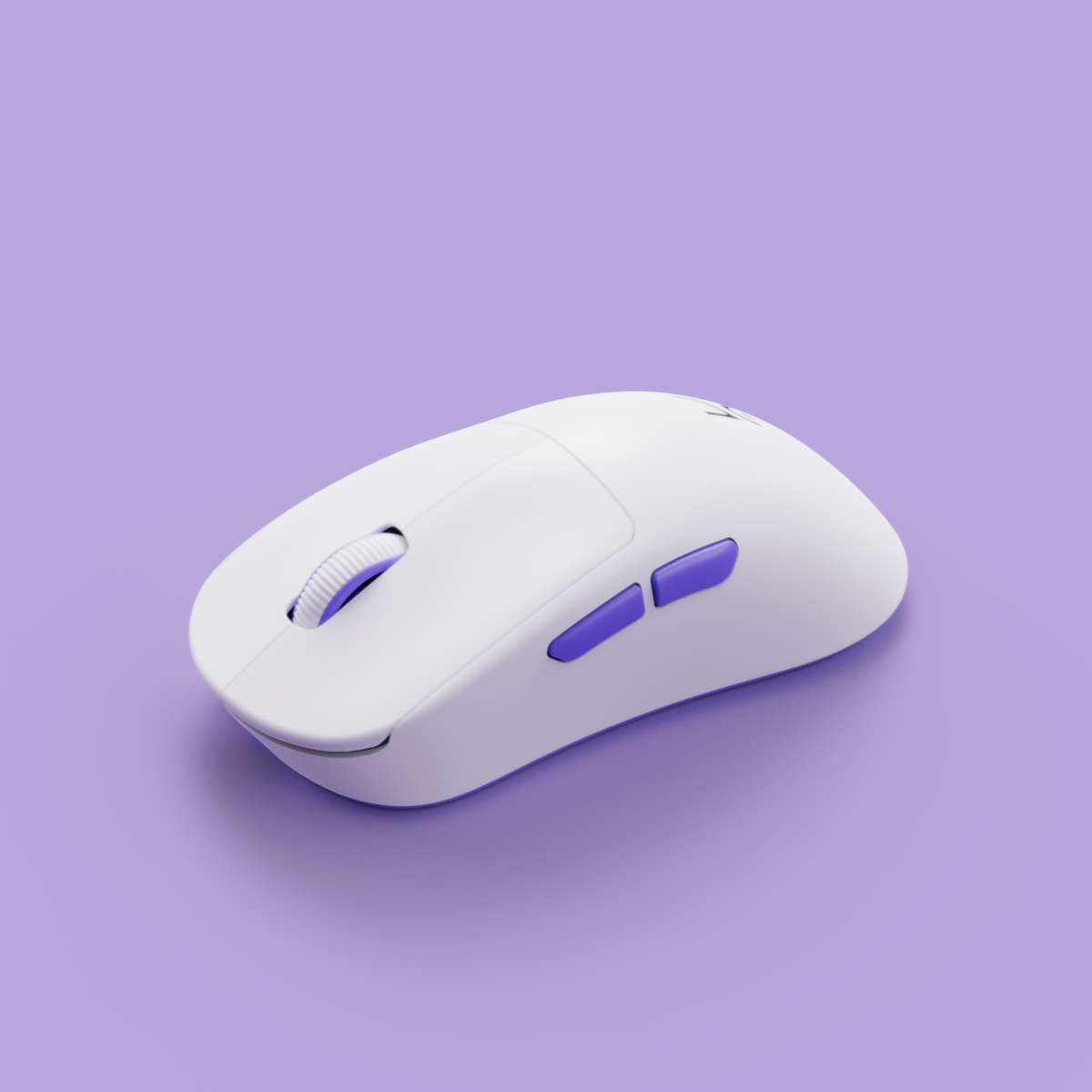
The Kreo Hawk Gaming Mouse is Kreo’s flagship wired mouse, purpose-built for high performance and comfort. Weighing just 65g, it’s one of the lightest in its class, making it perfect for fast-paced gaming. The 16,000 DPI sensor ensures pinpoint accuracy, while the ergonomic design supports your hand during long sessions. If you’re searching for a gaming mouse for beginners that offers pro-level features, the Hawk is a standout option.
- Weight: 65g (ultra-lightweight for quick movements)
- Sensor: 16,000 DPI (fully adjustable)
- Polling Rate: Up to 1,000Hz for lag-free response
- Compatibility: Windows & Mac
- RGB Lighting: 16.8 million color options for full personalization
Tech reviewers and the gaming community agree: the Kreo Hawk delivers “pro-level accuracy at a price point that’s beginner-friendly.”
"The Kreo Hawk is my go-to recommendation for anyone starting out in PC gaming. It’s plug-and-play, feels premium, and the customization is on par with $100+ mice."
— Alex Tran, esports coach & reviewer
Top Features of the Kreo Mouse
- Ultra-Lightweight Design (65g): Reduces fatigue and enables faster reaction times. According to a Reddit poll, 78% of gamers prefer mice under 70g for FPS games.
- Precision & Customizable DPI: Instantly switch between 400, 800, 1600, 3200, 6400, and 16,000 DPI to match your playstyle.
- Ergonomic Comfort: Sculpted shape and textured grips ensure comfort, even during marathon gaming sessions.
- RGB Lighting & Personalization: Choose from 16.8 million color combinations to match your setup or team colors.
- Durable Build Quality: Rated for 50 million clicks, ensuring long-lasting reliability.

How to Set Up Your Kreo Mouse: Step-by-Step
- Unbox Your Mouse: Inside, you’ll find the Kreo Hawk Mouse, braided USB cable, quick-start guide, and Kreo stickers. No complicated tools or instructions.
- Plug It In: Connect the mouse to any USB port on your PC or Mac. It’s instantly recognized—no drivers needed for basic use.
- Customize with Kontrol: For advanced features like DPI adjustment, macros, and RGB lighting, download the free Kreo Hawk software from the Kreo Downloads page or use Kontrol, Kreo’s all-in-one device management and community platform. Kontrol lets you discover, compare, and personalize all Kreo gear in one place.
Beginner Tip: The Kreo Hawk’s plug-and-play design means you can go from unboxing to gaming in under two minutes—no technical knowledge required.
Kreo Hawk vs. Other Gaming Mice: How Does It Compare?
- Kreo Hawk vs. Chimera Wireless: The Hawk is wired for zero input lag, while the Chimera Wireless offers cable-free convenience. The Hawk is lighter (65g vs. 75g) and more affordable, while both models support advanced customization.
- Compared to Major Brands: The Hawk’s sensor and build quality rival those of $100+ mice, but at a much lower price. Community feedback consistently highlights its value and reliability, especially for new gamers.
Why Choose the Kreo Mouse?
- Beginner-Friendly: Simple setup and intuitive software—no steep learning curve.
- Customizable: Adjust DPI, remap buttons, and personalize RGB lighting to fit your style.
- Ergonomic: Designed for comfort during long gaming sessions.
- Great Value: Professional-grade features at an accessible price.

Frequently Asked Questions About the Kreo Mouse
- Is the Kreo Mouse compatible with Mac and Windows?
- Yes, the Kreo Hawk works seamlessly with both Windows and MacOS. Just plug it in and start gaming.
- How do I download and install Kreo Mouse software?
- Visit the Kreo Downloads page or use Kontrol for the latest software and firmware updates.
- Can I customize the buttons and lighting on the Kreo Mouse?
- Yes! Use the Kreo Hawk software or Kontrol platform to remap buttons, set macros, and personalize RGB lighting.
- What warranty does the Kreo Mouse come with?
- The Kreo Hawk includes a 2-year limited warranty. For more details, visit the product page or contact Kreo support.
- How does the Kreo Mouse improve my gaming experience?
- With its 1,000Hz polling rate, ultra-lightweight build, and customizable features, you’ll enjoy faster reactions and reduced fatigue—especially in competitive games.
- What is the difference between the Kreo Hawk and Chimera Wireless models?
- The Hawk is wired and lighter (65g), while the Chimera is wireless (75g) for more freedom. Both offer pro-level sensors and extensive customization.
- Where can I find setup guides or customer support for my Kreo Mouse?
- Visit the Kreo Downloads page for guides, or use Kontrol for community support and resources.

Explore More Kreo Products and Resources
- Kreo Gaming Mouse and Mousepad Collection – Browse all Kreo mice and accessories.
- Chimera Wireless Gaming Mouse – Compare with Kreo’s wireless option.
- Kreo Hawk Gaming Mouse – Full product details and purchase options.
- Kontrol Platform – Manage your Kreo gear, download firmware, and join the community.
- All Kreo Products – Discover everything Kreo offers for gamers.
Ready to Level Up Your Gaming?
The Kreo Hawk Gaming Mouse is the perfect entry point for gamers seeking professional features without complexity. Order yours today and experience the difference. For more tips, downloads, and community support, visit Kontrol—your all-in-one hub for Kreo devices.
Recommended Kreo pages
Use these Kreo-owned pages to compare products, check availability, and continue your setup research.
Is a Mechanical Keyboard Worth It for Your Setup? The Kreo Expert Guide
Transform Your Desk: The Expert’s Guide to Laptop Coolers and Thermal Throttling in India