

Best Wireless Mechanical Keyboard for Gaming & Work: 2026 Expert Guide

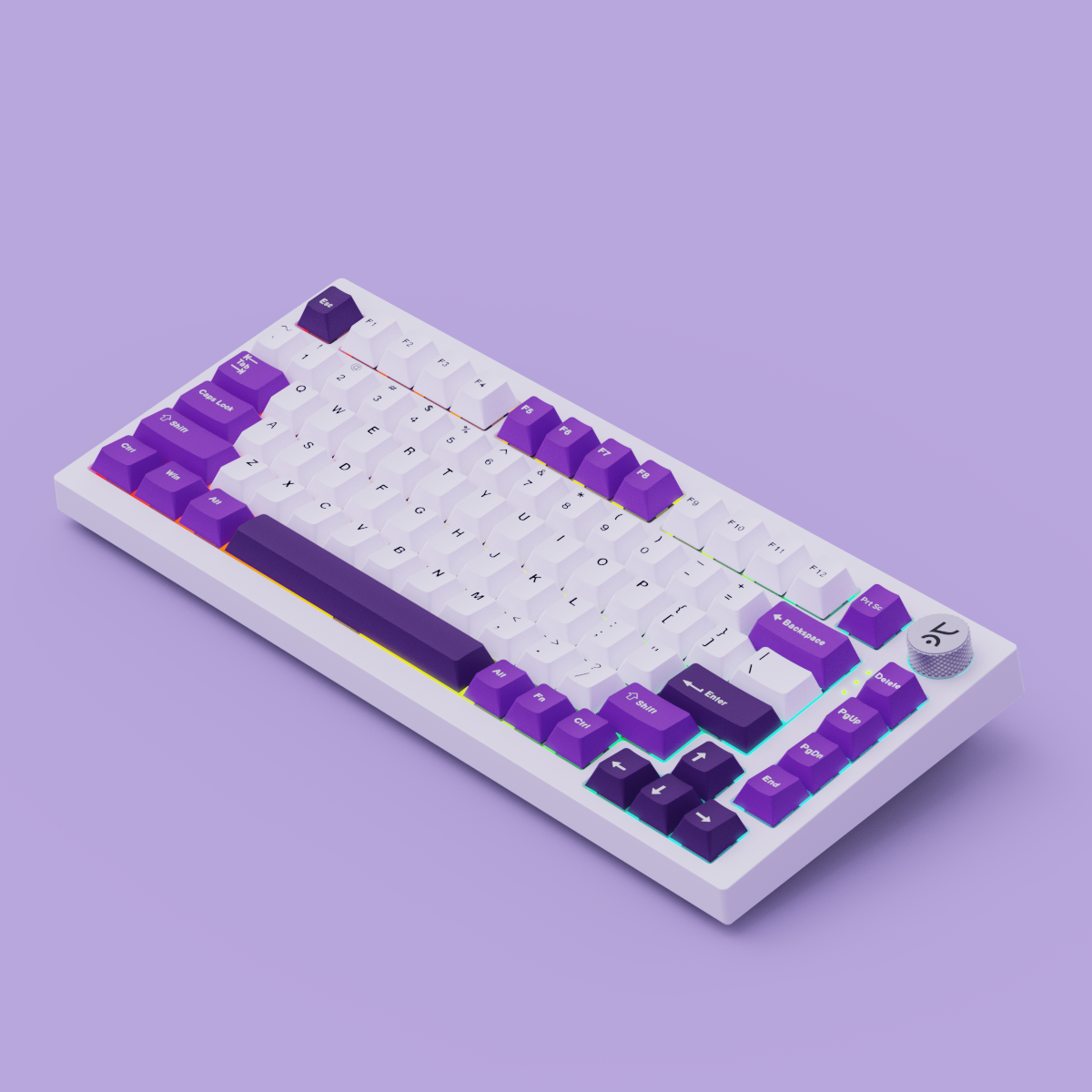
Quick Answer: The best wireless mechanical keyboard in 2026 combines hot-swappable switches, long battery life, low-latency wireless, and deep customizability. For Indian gamers and tech enthusiasts, the Kreo Hive RGB Gaming Keyboard is a leading choice, offering premium features at a competitive price.
Why Go Wireless? Key Advantages for Modern Setups
- Decluttered desk aesthetics: Eliminate cable mess for a cleaner, more professional workspace.
- Flexible positioning for ergonomics: Place your keyboard wherever is most comfortable, not just where the cable allows.
- Multi-device switching for productivity: Effortlessly toggle between your PC, laptop, and tablet—perfect for hybrid work and gaming environments.
What Makes a Mechanical Keyboard the 'Best'?
- Switch types and feel: Select tactile, linear, or clicky switches to match your typing and gaming preferences.
- Battery life and charging options: Prioritize keyboards with multi-day battery life and USB-C fast charging.
- Latency and wireless stability: Low latency keyboards (especially 2.4GHz) are essential for gaming; Bluetooth is great for multi-device use.
- Build quality and materials: Durable builds with aluminum top plates and PBT keycaps last longer and feel premium.
- Customizability: Hot-swappable wireless keyboards allow easy switch replacement. RGB wireless keyboards add visual flair, while programmable macros enhance productivity.
Top Features to Look For in a Wireless Mechanical Keyboard
- Hot-swappable switches: Instantly swap switches—no soldering required—for personalized feel and easy maintenance.
- RGB lighting and effects: Customizable per-key RGB lighting to match your setup or mood.
- Connectivity: Bluetooth vs. 2.4GHz: Bluetooth mechanical keyboards offer versatility; 2.4GHz delivers ultra-low latency for gaming.
- Software support & onboard profiles: Save your macros, keymaps, and lighting directly on the keyboard for seamless device switching.

Kreo Hive RGB Gaming Keyboard: Standout Wireless Performance
The Kreo Hive RGB Gaming Keyboard stands out for Indian gamers, remote workers, and tech enthusiasts who demand the best wireless mechanical keyboard experience. Here’s what makes it a top pick:
- Exceptional battery life: Designed for multi-day use, minimizing downtime.
- Switch options: Choose between tactile, linear, or clicky switches for a tailored typing or gaming experience.
- Advanced RGB customization: Vibrant, programmable lighting to match any setup.
- Real-world versatility: Effortlessly switch between work and play, or connect to multiple devices for hybrid workflows.
For those seeking the best wireless mechanical keyboard without overspending, the Hive is a compelling choice. Shop all mechanical keyboards or explore all Kreo products for more options.

Comparing Wireless Mechanical Keyboards: What to Consider
- Wireless vs. wired: Wireless offers freedom and a cleaner look; wired is ideal for ultra-low latency and uninterrupted power.
- Battery vs. performance: More RGB and features can impact battery life—find the right balance for your routine.
- Price vs. features: Premium models like the Hive offer better materials and customization. Decide if feel, looks, or longevity matter most.
- Who should choose which type? Hardcore esports players may prefer wired, but most users—including serious gamers—will find quality low latency wireless keyboards more than sufficient.
Kreo Editorial Tip: "Prioritize features that match your daily use: seamless device switching for work, RGB lighting for gaming aesthetics, or hot-swappable switches for long-term value."
Setting Up Your Wireless Mechanical Keyboard: Tips for Seamless Integration
- Pairing with devices: Follow the keyboard’s pairing instructions—usually a key combo. Most modern wireless gaming keyboards support multiple device profiles.
- Optimizing battery life: Lower RGB brightness, enable auto-sleep, and keep firmware updated for best results.
- Personalizing keymaps and lighting: Use included software or onboard shortcuts to set macros, remap keys, and create custom lighting profiles.
Who Should Buy a Wireless Mechanical Keyboard?
If you value a clean desk, flexible setup, and the ability to game or work from anywhere, a wireless mechanical keyboard is for you. Ideal for:
- Gamers seeking performance and style without cable clutter
- Remote workers and students needing multi-device support
- Tech enthusiasts who love customizing their gear
Not sure where to start? Browse the full mechanical keyboard collection or see the Hive RGB Gaming Keyboard details for inspiration.

FAQ: Best Wireless Mechanical Keyboards
- Is wireless latency noticeable when gaming with a mechanical keyboard?
- With modern low latency keyboards—especially using 2.4GHz wireless—most gamers won’t notice any lag. For competitive esports, some still prefer wired, but for nearly all use cases, wireless is fast enough.
- How long does the battery last on the Kreo Hive RGB Gaming Keyboard?
- The Hive is engineered for extended battery life, lasting multiple days per charge. Actual duration depends on RGB settings and usage patterns.
- Can I use a wireless mechanical keyboard with both my PC and tablet?
- Yes. Most Bluetooth mechanical keyboards, including the Hive, support pairing with multiple devices—switch between them with a simple shortcut.
- Are wireless mechanical keyboards as durable as wired ones?
- Yes, provided you choose a model with solid build quality and premium materials. Durability depends more on construction than connectivity.
- What are the main differences between Bluetooth and 2.4GHz wireless keyboards?
- Bluetooth offers broad compatibility and easy switching; 2.4GHz delivers lower latency—ideal for gaming. Many top keyboards support both.
- How do I maintain and clean my wireless mechanical keyboard?
- Regularly remove keycaps and dust the board. Use a soft brush or compressed air. Avoid spills and keep firmware updated for best performance.
The Bottom Line: Which Wireless Mechanical Keyboard Should You Buy?
For Indian tech enthusiasts, the best wireless mechanical keyboard is one that fits your workflow, gaming style, and budget. The Kreo Hive RGB Gaming Keyboard stands out for its blend of performance, customization, and value—making it a smart investment for gaming, work, or both.
Ready to upgrade? Shop the Hive RGB Gaming Keyboard now or explore all mechanical keyboards to find your perfect fit.
Still have questions?
Check out our full product lineup or contact Kreo support for expert advice on choosing the right wireless mechanical keyboard for your needs.
Best Ergonomic Gaming Mouse for Large Hands: 2026 Expert Buyer’s Guide
Top Alternatives to Logitech Gaming Mouse: 2026 Expert Guide & Comparison for Indian Gamers