

Best PC Gaming Accessories for 2026: Expert Guide, Trade-Offs & Smart Setup Upgrades

Quick Answer: The best PC gaming accessories in 2026 are those that match your playstyle and deliver real performance, comfort, and value. Start with a high-precision gaming mouse, mechanical keyboard, immersive headset, and a fast gaming monitor. Then, enhance your setup with ergonomic chairs, smart lighting, and streaming gear as your needs and budget allow.
Why Accessories Matter for PC Gamers in 2026
Even as core gaming hardware becomes faster and more affordable, your gaming experience is defined by your accessories. The right gear can be the difference between a clutch win and a missed opportunity, or between marathon comfort and nagging wrist pain. In 2026, the best PC gaming accessories combine precision, ergonomics, and seamless setup synergy—not just eye-catching RGB.
Who This Guide Is For: Identifying Your Gaming Needs & Playstyle
This buying guide is designed for:
- Competitive gamers seeking every edge in FPS, MOBA, or battle royale titles
- Streamers and content creators needing reliable, pro-grade gear
- Casual gamers upgrading from entry-level accessories
- Anyone building a new PC gaming setup in 2026
Whether you’re starting from scratch or refining your rig, the right accessories unlock better performance, comfort, and style. We’ll help you prioritize what matters most for your setup.
What to Compare First: Core Accessory Categories & Key Specs
Before you buy, focus on these core accessory categories and key specifications:
- Gaming Mouse: Sensor accuracy, weight, grip style, wireless latency
- Mechanical Keyboard: Switch type, layout, build quality, backlighting
- Gaming Headset: Soundstage, mic clarity, comfort for long sessions
- Mousepad: Surface texture, size, anti-slip base
- Monitor: Refresh rate, resolution, panel type
- Gaming Chair: Ergonomics, adjustability, material breathability
- Lighting & Ambience: RGB zones, bias lighting, cable management
- Webcam & Streaming Gear: Resolution, frame rate, plug-and-play ease
Matching your accessories to your playstyle—whether FPS, RPG, or streaming—ensures you get the best value for your investment.

Essential PC Gaming Accessories (With Trade-Offs)
Gaming Mouse: Precision, Weight, and Wireless vs Wired
Your mouse is your primary gaming tool. In 2026, lightweight wireless mice rival wired options for latency, but battery life and price remain trade-offs. Heavier mice may suit palm grippers or MMO players, while FPS gamers often prefer ultralight designs for quick flicks.
- What to check: Sensor DPI, polling rate, shape, button placement
- Trade-off: Wireless offers freedom; wired still wins for reliability and zero charging hassle
For more on choosing the right mouse, see our Lightweight Gaming Mouse India 2026 Guide.
Mechanical Keyboard: Switch Types, Layouts, and RGB
A mechanical keyboard delivers tactile feedback and durability. Choose your switch type (linear, tactile, clicky) based on game genre and typing preference. Compact layouts save desk space but may lack dedicated macro keys.
- What to check: Switch brand, actuation force, anti-ghosting, hot-swappable options
- Trade-off: Premium boards offer customization and RGB, but value models can cover the basics well
For FPS-focused keyboards, check our Best Keyboard for CS2 Guide.
Gaming Headset: Surround Sound, Comfort, and Mic Quality
Audio cues are crucial in competitive gaming. Look for headsets with virtual surround, soft earcups, and a clear microphone. Wireless headsets are mainstream in 2026, but check battery life and charging convenience.
- What to check: Driver size, surround tech, detachable mic, weight
- Trade-off: Premium headsets offer richer sound, but budget picks can still deliver clear communication
See also: Best Audio Setup for Gaming Desk 2026.
Mousepad: Size, Surface, and Extra Features
A large, low-friction mousepad allows for sweeping movements. Hard surfaces are faster, soft ones offer more control. Some pads now include wireless charging or RGB, but these are nice-to-haves.
- What to check: Dimensions, stitched edges, surface material
- Trade-off: Extra-large pads look great but may crowd smaller desks
Monitor: Refresh Rate, Resolution, and Response Time
Your monitor directly impacts your gaming performance. For esports and FPS, 240Hz or higher is now standard. For immersive RPGs or creative work, 1440p or 4K with strong color accuracy is worth the spend.
- What to check: Panel type (IPS vs VA), G-Sync/FreeSync support, adjustable stand
- Trade-off: Higher refresh rates mean smoother gameplay but may require a pricier GPU
For monitor-specific advice, see our Best 1440p Gaming Monitors in India (2026).
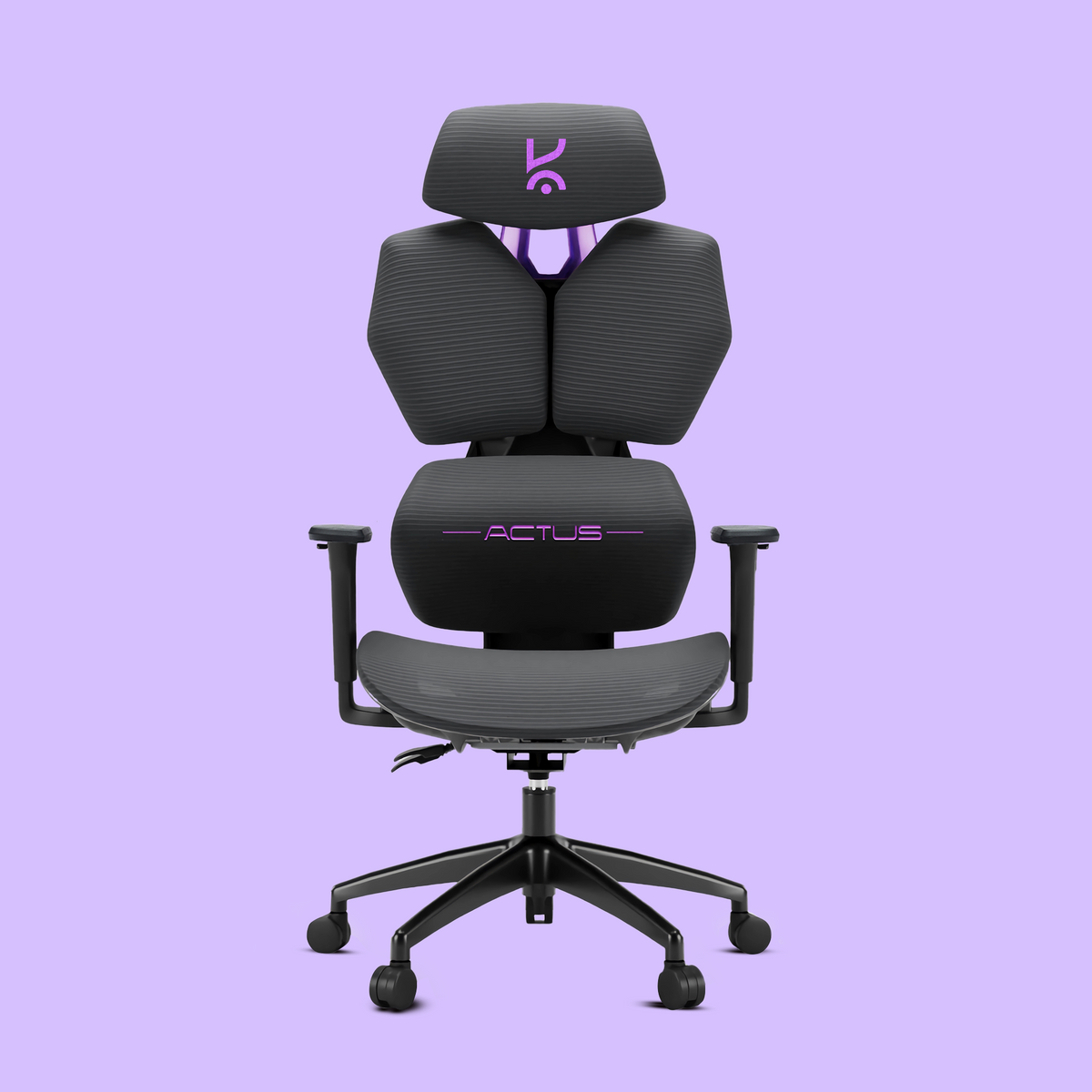
Gaming Chair: Ergonomics, Breathability, and Adjustability
A good chair is essential for long sessions. Look for adjustable lumbar support, breathable materials, and a fit for your body type. Racing-style chairs look flashy, but ergonomic models often win for comfort.
- What to check: Seat height, armrest adjustability, mesh vs PU leather
- Trade-off: Premium chairs last longer and reduce fatigue, but well-chosen budget picks can be surprisingly supportive
Explore our deep dive: Best Breathable Gaming Chair 2026.
Lighting & Ambience: RGB, Bias Lighting, and Practicality
Smart lighting does more than look good—it can reduce eye strain and set the mood. Bias lighting behind your monitor improves contrast in dark rooms. Smart RGB strips and desk lamps add flair, but focus on function first.
- What to check: Customization options, app control, sync with games
- Trade-off: All-out RGB setups are fun, but subtle lighting is often more practical for long sessions
For streaming-specific lighting, see Best Lighting for Streaming Setup (2026).
Webcam & Streaming Gear: For Content Creators
If you stream or create content, a 1080p or 4K webcam with fast autofocus and good low-light performance is a must. Consider a ring light or dedicated microphone for pro-quality streams.
- What to check: Resolution, frame rate, compatibility with OBS/Streamlabs
- Trade-off: Standalone mics and lights add cost but boost production value
Compare options in Webcam vs Phone Camera for Streaming in 2026 and Best 4K Webcams 2026.
The Budget-Friendly Path: Where to Save, Where to Invest
You can build a killer setup without overspending. Here’s where to prioritize your budget:
- Invest in a quality mouse and keyboard if you play competitive games
- Save on RGB and non-essential accessories
- Consider value headsets and monitors that hit key specs without premium pricing

Accessory Combos & Setup Synergy: Maximizing Performance & Style
Mixing and matching can help you build a setup that’s both functional and stylish. For example, pair a high-end mouse with a value mechanical keyboard, or combine a mid-tier monitor with a premium headset for the best value. Look for accessories designed to work together—cable management kits, matching RGB, and ergonomic layouts all boost synergy.
For full desk setup inspiration, see Best Desk Setup for Gamers: 2026 Expert Guide.
How to Future-Proof Your Accessory Choices
To keep your setup relevant for years, choose accessories with:
- Upgradeable or hot-swappable parts (e.g., keyboard switches)
- Universal connectivity (USB-C, Bluetooth, multi-device support)
- Firmware updates and modular designs
Don’t chase every new trend—focus on proven features and compatibility with next-gen hardware.

Kreo’s Picks: Top-Rated Accessories from Our Collection
Ready to upgrade? Browse the full Kreo product collection for:
- Precision gaming mice with customizable weights and RGB
- Mechanical keyboards tuned for Indian gamers’ preferences
- Immersive headsets and streaming accessories
- Ergonomic gaming chairs built for long sessions
Want more? Explore all Kreo gaming accessories for the latest releases and exclusive bundles.
FAQ: Best PC Gaming Accessories 2026
- What are the most important PC gaming accessories to buy first?
- Start with a quality gaming mouse, mechanical keyboard, and headset. These deliver the biggest upgrade in control, comfort, and immersion.
- How much should I budget for a complete PC gaming accessory setup?
- Expect to spend between ₹8,000 and ₹40,000, depending on your mix of budget and premium picks. Prioritize essentials first, then add style and comfort upgrades.
- Are wireless gaming accessories worth it in 2026?
- Yes, if you value a clean desk and flexibility. Latency is now on par with wired for most models, but consider battery life and price.
- What’s the best way to upgrade my gaming setup on a tight budget?
- Focus on accessories you use most—typically mouse, keyboard, and headset. Look for value picks with solid community reviews.
- How do I pick accessories that will stay relevant for future PC upgrades?
- Choose gear with universal ports, modular parts, and ongoing firmware support. Avoid niche features that may not be supported next year.
The Bottom Line: Smart Accessory Choices for Every Gamer
The best PC gaming accessories in 2026 are those that fit your needs—not just the latest trends. Start with the essentials, weigh trade-offs, and build a setup that delivers performance, comfort, and style. Kreo’s collection is curated for Indian gamers who want real-world upgrades, not just more RGB.
Ready to build your dream setup? Explore all Kreo gaming accessories or browse the full Kreo product collection for exclusive deals and expert guidance.
How to Fix Controller Stick Drift Permanently (The 2026 Hardware Guide)
Best USB Microphones for Gaming 2026: Expert Picks, Real Trade-Offs & Setup Inspiration