

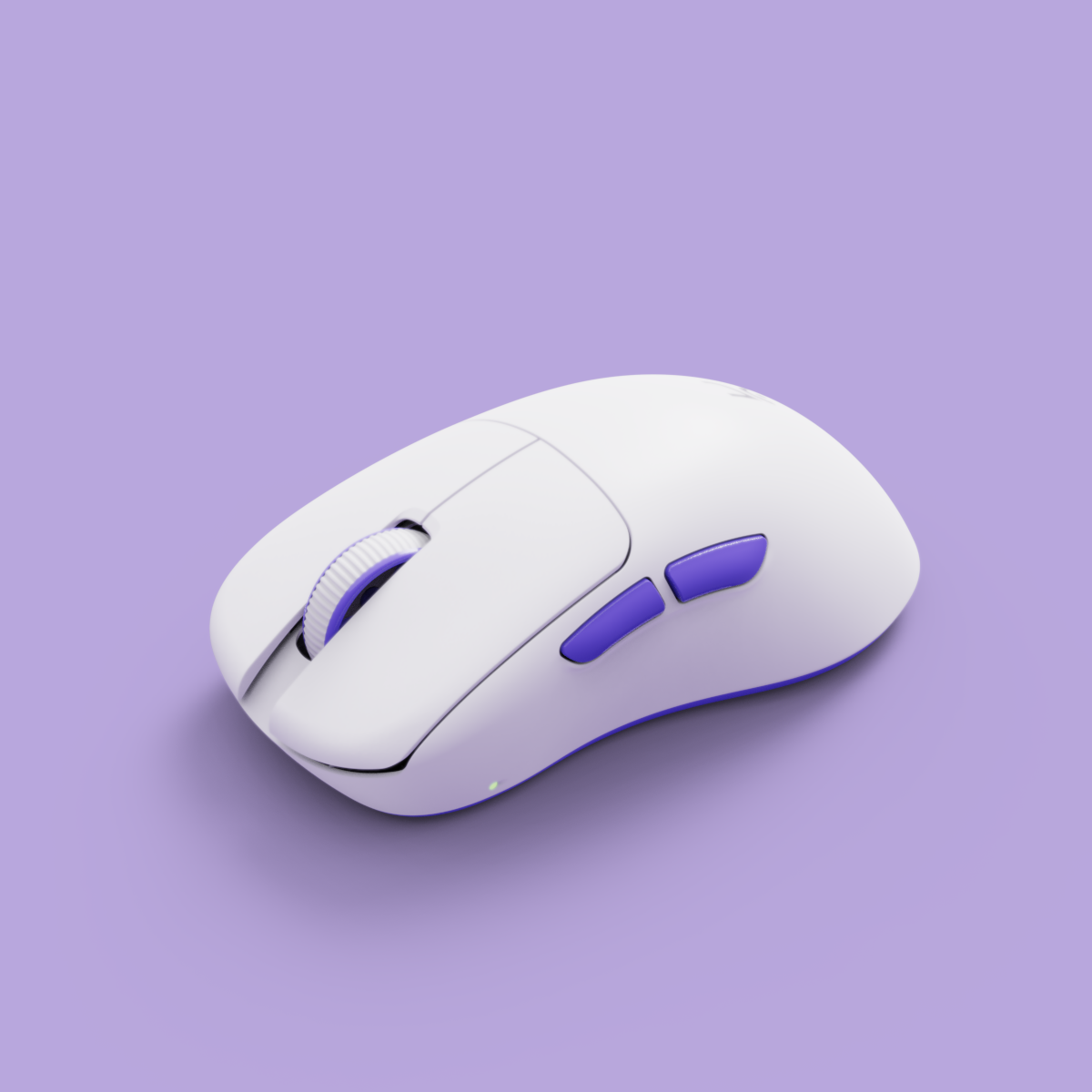
Best Mouse for Drag Clicking in 2026: The Falcon Hype Review & Buying Guide

Quick Answer: The Kreo Falcon Gaming Mouse is the best mouse for drag clicking in 2026. Engineered for high CPS, it combines a grippy surface, robust switches, and a hype-worthy design—making it the go-to choice for gamers who want to dominate Minecraft, FPS, and more.
What Is Drag Clicking? (And Why Everyone’s Talking About It)
Drag clicking is the latest flex in competitive gaming. By dragging your finger across the mouse button, you can achieve rapid-fire clicks per second (CPS) that leave ordinary mice in the dust. This technique is especially popular in games like Minecraft (for speed bridging and PvP) and FPS titles where fast clicking can mean the difference between victory and defeat. Pop-culture forums and YouTube are packed with drag click test challenges, and the hype is real—if you want to keep up, you need the right gear.
What Makes a Mouse Great for Drag Clicking?
- Switch Type & Durability: High-quality, tactile switches are essential. Cheap switches can fail, ghost, or double-click after a few weeks of intense use.
- Grip & Surface Texture: A textured, grippy surface is critical for consistent drag clicks. Glossy or smooth mice make it nearly impossible to maintain control.
- Weight & Design: The ideal drag clicking mouse is lightweight enough for fast movement but stable enough for accuracy. Ergonomic shapes reduce fatigue during long sessions.
- Build Quality: A solid, rattle-free shell ensures your mouse can handle serious drag clicking without flexing or creaking.
Top Contenders: Mice That Claim Drag Clicking Glory
- Glorious Model O
- Razer DeathAdder V2
- Bloody A70
- Roccat Kone Pro
- Logitech G Pro X Superlight
These models are famous for drag clicking, but each comes with trade-offs. The Model O is ultra-light but can feel unstable for some users. The Bloody A70 is highly rated but expensive and hard to source in India. Many mainstream picks require mods, tape, or constant tweaks to get reliable drag clicks—frustrating for gamers who want plug-and-play performance. If you’re tired of babying your mouse or dealing with double-click issues, you’re not alone.
Falcon Gaming Mouse: The Limited-Edition Sneaker Drop of Drag Clicking
- Design Breakdown: The Falcon features a textured matte finish for optimal grip, custom-tuned switches built for high CPS, and an ergonomic shape that fits naturally in your hand. No cramps, no slips, just pure control.
- Why It Hits Different: Designed specifically for Indian gamers, the Falcon blends style and substance. Think of it as the Yeezy of gaming mice—exclusive, hyped, and engineered for performance.
- Pop-Culture Vibes: The Falcon’s limited runs, bold colorways, and premium feel make every unboxing feel like a sneaker drop. It’s gear you’ll want to show off as much as you use.
Unlike other drag clicking mice, the Falcon doesn’t need mods or tape to deliver insane CPS. Its build quality and surface are made for the grind—no shortcuts, no compromises.
How to Max Out Your Drag Clicking Performance
- Setup Tips: Use a clean, low-friction mousepad. While some players add grip tape, the Falcon’s surface often makes this unnecessary. Keep your hands dry and practice finger placement for best results.
- Hand Position: Place your finger flat on the button, apply gentle pressure, and drag smoothly. Don’t press too hard—let the mouse’s texture do the work.
- Common Mistakes: Avoid glossy mousepads, excessive pressure, or cheap tape that leaves residue. Remember, mastering drag clicking takes patience and practice—don’t expect world-record CPS instantly.
Real-World Results: What Gamers Say About the Falcon
- “Finally, a drag clicking mouse that doesn’t need mods.”
- “Hit my highest CPS ever — and it actually feels premium.”
- “Falcon’s grip is a game-changer for Minecraft PvP.”

Recommended Kreo pages
Use these Kreo-owned pages to compare products, check availability, and continue your setup research.
FAQ: Drag Clicking & The Falcon Gaming Mouse
What is drag clicking and why do gamers use it?
Drag clicking is a technique where you drag your finger across the mouse button to generate rapid clicks. Gamers use it for building, PvP, and speed bridging in games like Minecraft, or for any scenario where high CPS gives you an edge.
Is drag clicking safe for my mouse?
On a well-built mouse like the Falcon, yes. Lower-quality mice can wear out fast or develop double-click issues, but the Falcon’s switches are designed for this abuse.

Can the Falcon Gaming Mouse be used for other clicking techniques?
Absolutely. The Falcon is versatile—great for butterfly clicking, jitter clicking, and standard gaming too.

How do I maintain my mouse for optimal drag clicking?
Keep the surface clean, avoid sticky tapes, and store your mouse in a dust-free area. Wipe it down regularly to maintain grip.
What games benefit most from drag clicking?
Minecraft (especially Bedwars and PvP), FPS titles for rapid fire, and any game where high CPS can give you a competitive advantage.
Final Verdict: Is the Falcon Mouse Worth the Hype?
- Pros: Drag-clicking optimized, premium grip, robust switches, exclusive design, and budget-friendly for Indian gamers.
- Cons: Limited edition—can sell out fast. Only available via Kreo (so don’t wait for a price drop elsewhere).
- Who Should Buy It? If you want the best gaming mouse for Minecraft, FPS, or simply want to flex your CPS, the Falcon is your best bet. Perfect for serious drag clickers, aspiring pros, and anyone who wants their gear to perform and stand out.
Shop the Falcon Gaming Mouse now—don’t miss this exclusive drop. For more options, see the full Kreo gaming mouse lineup or all Kreo products. Want the latest trends? Visit the Kreo home page for new releases and deals.
Kero by Kreo: India’s Most Exclusive Gaming Gear Drop—The Ultimate Collector’s Guide (2026)
Best Ergonomic Gaming Mouse for Large Hands: 2026 Expert Buyer’s Guide