

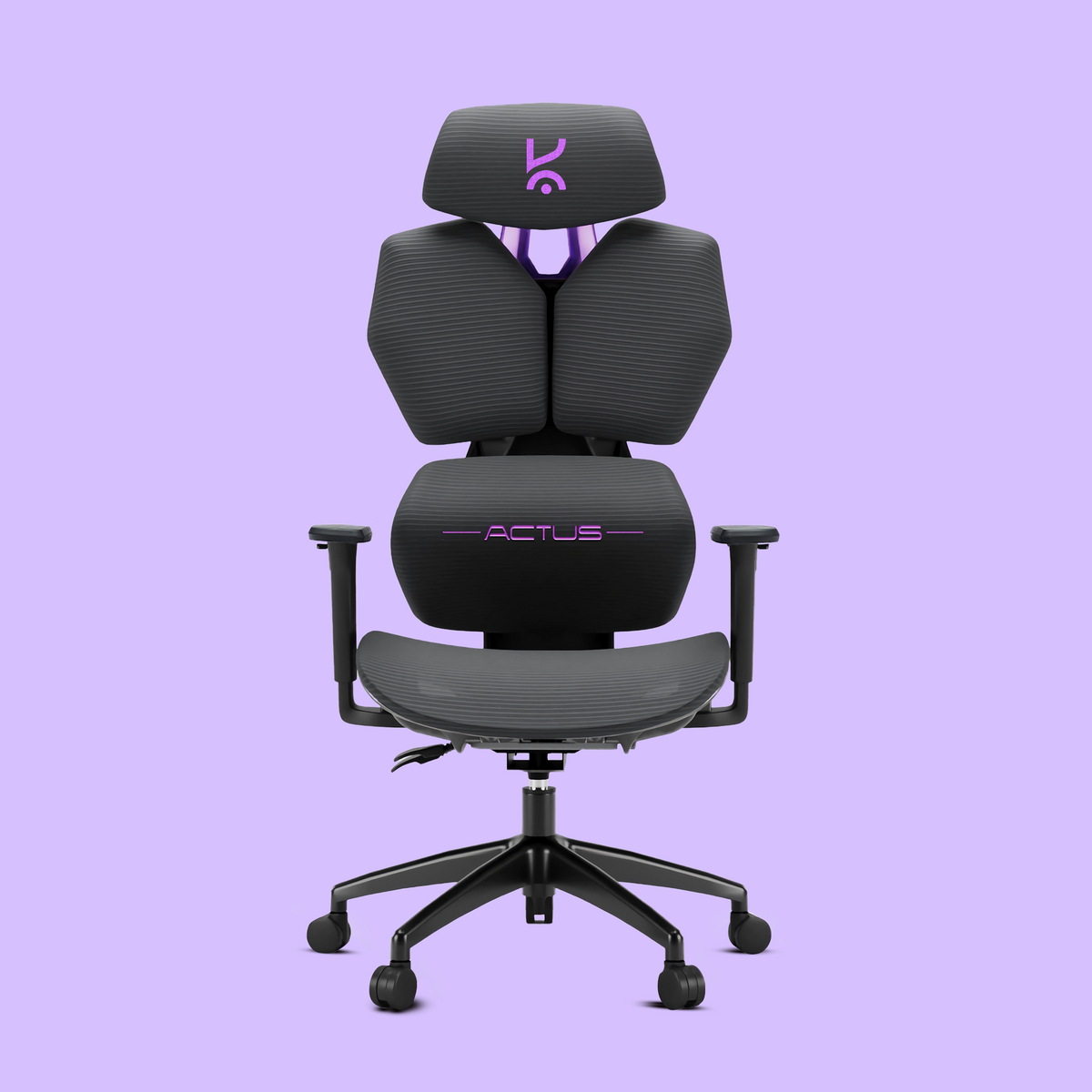
Best Desk Setup for Work and Gaming 2026: Hybrid Desk Mastery, Trade-Offs & Kreo Solutions

Quick Answer: The best desk setup for work and gaming in 2026 combines ergonomic comfort, modular furniture, dual-purpose hardware, and smart organization. Choose a spacious, adjustable desk, dual monitors (for multitasking and immersion), an ergonomic chair, and cable management solutions. Modular accessories and lighting enable seamless switching between productivity and gaming. Kreo’s full product range is designed to support these hybrid needs.
Why Hybrid Desk Setups Matter in 2026
With remote work and gaming both central to modern lifestyles, a hybrid desk setup is essential. The right setup lets you transition from professional tasks to immersive play without compromise—boosting productivity during the day and delivering peak gaming performance at night. Hybrid setups are no longer a luxury; they’re the new standard for India’s tech-savvy professionals and gamers.
What Makes the Best Desk Setup for Work and Gaming?
- Ergonomics: Prioritize lumbar support, adjustable height, and healthy posture for long sessions.
- Dual-purpose hardware: Monitors, peripherals, and accessories that excel for both work and gaming.
- Efficient cable management: Maintain a clean, organized, and safe workspace.
- Personalization: Add aesthetic touches for motivation and comfort.
- Future-proof modularity: Choose furniture and accessories that adapt as your needs evolve.
A hybrid desk setup should adapt to your workflow and playstyle, not the other way around.
Key Trade-Offs: Balancing Productivity and Play
Designing a dual purpose desk means making smart trade-offs. Consider these factors:
- Monitor placement: Eye-level for work; angled or curved for gaming immersion.
- Desk surface: Minimal for productivity, but spacious enough for gaming peripherals.
- Lighting: Bright, neutral lighting for focus; RGB or ambient lighting for gaming atmosphere.
Desk Selection: Size, Shape & Surface for Dual Use
For a work from home gaming setup, desk size is critical. Aim for 120cm to 150cm in width—enough for dual monitors, a full-size keyboard, and workspace for writing or sketching. L-shaped desks maximize corner space and multitasking; rectangular desks fit compact rooms. Choose a scratch-resistant, matte surface to minimize glare and wear.
For modularity and future upgrades, explore Kreo’s full product range—including adjustable-height desks and built-in cable trays.
Monitor Choices: Multi-Tasking vs. Immersion
For productivity, prioritize screen real estate: a 27" QHD monitor is ideal. For gaming, a 144Hz+ refresh rate monitor enhances immersion. The best hybrid setups use dual monitors—one for work, one for gaming. Mount them on adjustable arms for quick angle changes. Curved displays offer immersive gaming but may be less optimal for spreadsheets or code. Flexibility is key—choose monitors and mounts that adapt to both needs.
Chair & Ergonomics: Comfort for Long Hours
Comfort is non-negotiable. Look for chairs with lumbar support, adjustable armrests, and breathable fabric. Avoid racing-style gaming chairs for all-day work. For a detailed breakdown, see Kreo’s expert guide to ergonomic chairs. The right chair prevents fatigue and supports healthy posture during both work and gaming marathons.
Keyboard, Mouse & Peripherals: Switching Seamlessly Between Work and Gaming
Choose a mechanical keyboard with hot-swappable switches—quiet for work, tactile for gaming. A wireless mouse with multi-device pairing streamlines transitions. USB switches or KVMs let you toggle between work and gaming PCs. For top picks, visit our best gaming peripherals for 2026 guide.
Cable Management & Power: Keeping It Clean and Efficient
Effective gaming desk organization starts with cable management. Use under-desk trays, Velcro ties, and surge-protected power strips. Kreo’s modular desks feature built-in cable channels for a tidy, professional look.
Lighting & Ambience: Boosting Focus and Game Atmosphere
Task lighting—like an LED desk lamp—improves focus during work. For gaming, add RGB strips or smart bulbs behind monitors for ambient glow. Smart lighting profiles let you switch modes instantly, reducing eye strain and setting the right mood for every session.

Personalization & Aesthetics: Making Your Setup Yours
Your aesthetic desk setup should reflect your personality. Add plants, figurines, or art. Use matching desk accessories for a cohesive look. Kreo’s modular accessories come in multiple finishes and styles to fit your vibe.

Smart Upgrades: Accessories That Add Real Value
- Monitor arms for flexible positioning
- Desk mats for comfort and style
- Headphone stands and charging docks
- Under-desk drawers for quick access and organization
These desk accessories for productivity keep your setup organized and efficient, supporting both work and play.
Kreo Solutions: How Kreo Products Fit Hybrid Desk Needs
Kreo’s modular desks, ergonomic chairs, and smart accessories are engineered for hybrid lifestyles. Adjustable desks adapt to your workflow and playstyle. Ergonomic chairs support marathon sessions. Accessories like cable trays, monitor arms, and under-desk drawers keep everything organized. Explore Kreo’s full product range for the latest in hybrid desk innovation.
Setup Inspiration: Real-World Hybrid Desk Layouts
Need ideas? Check out these real-world hybrid desk layouts:
- The Minimalist Pro: Single ultra-wide monitor, compact mechanical keyboard, Kreo ergonomic chair.
- The Creator-Gamer: Dual monitors (one vertical), RGB lighting, Kreo desk mat, and cable management tray.
- The Team Player: L-shaped desk, two PCs (work/gaming), shared Kreo accessories for seamless switching.

Common Mistakes & How to Avoid Them
- Choosing style over comfort: Prioritize ergonomics for long-term health.
- Ignoring cable management: Leads to clutter, tripping hazards, and device damage.
- Underestimating desk size: Crowded setups hurt both productivity and immersion.
- Neglecting lighting: Poor lighting strains eyes and reduces focus or mood.
- Not planning for upgrades: Modular desks and accessories future-proof your investment.
Conclusion: Building Your Best Desk Setup for Work and Gaming
The best desk setup for work and gaming is about more than gear—it’s about creating a space that adapts to your hybrid lifestyle. Focus on ergonomics, modularity, and organization. Kreo’s desks, chairs, and accessories are built for India’s new generation of hybrid workers and gamers. Ready to elevate your workspace?
FAQs
- What is the ideal desk size for both work and gaming?
- 120cm to 150cm width is recommended for dual monitors, keyboard, mouse, and workspace. L-shaped desks provide extra room for multitasking.
- How can I switch quickly between work and gaming modes?
- Use dual monitors, a USB switch, and programmable lighting profiles. Modular accessories from Kreo help you reconfigure your setup in seconds.
- Are standing desks good for gaming as well as work?
- Yes. Standing desks encourage movement and reduce fatigue. For gaming, lower the desk for stability and comfort. Kreo’s adjustable desks are designed for both modes.
- What are the most important ergonomic features for a hybrid desk setup?
- Lumbar support, adjustable height, armrests, and a desk surface at elbow height. See Kreo’s ergonomic chair guide for more details.
- How do I keep my hybrid desk setup organized and clutter-free?
- Use cable trays, under-desk drawers, and modular accessories. Regularly declutter and avoid overloading your desk with gadgets.
- Which Kreo products are best for a dual-purpose desk?
- Kreo’s modular desks, ergonomic chairs, and smart accessories like cable management trays and monitor arms are ideal for hybrid setups. Browse Kreo’s full product range for options.
Ready to Build Your Hybrid Desk?
Explore Kreo’s desks, chairs, and accessories to create your perfect hybrid workspace. Shop the range now and future-proof your productivity and play.
Best Ring Light for Creators, Streamers & Remote Work in 2026: Expert Guide, Real Trade-Offs & Kreo Picks
Best Chair for Desk Setup 2026: Expert Guide, Trade-Offs & Why Kreo Actus Ergo Leads