

Best 4K Webcams 2026: Expert Guide for Streaming, Remote Work & Content Creation in India

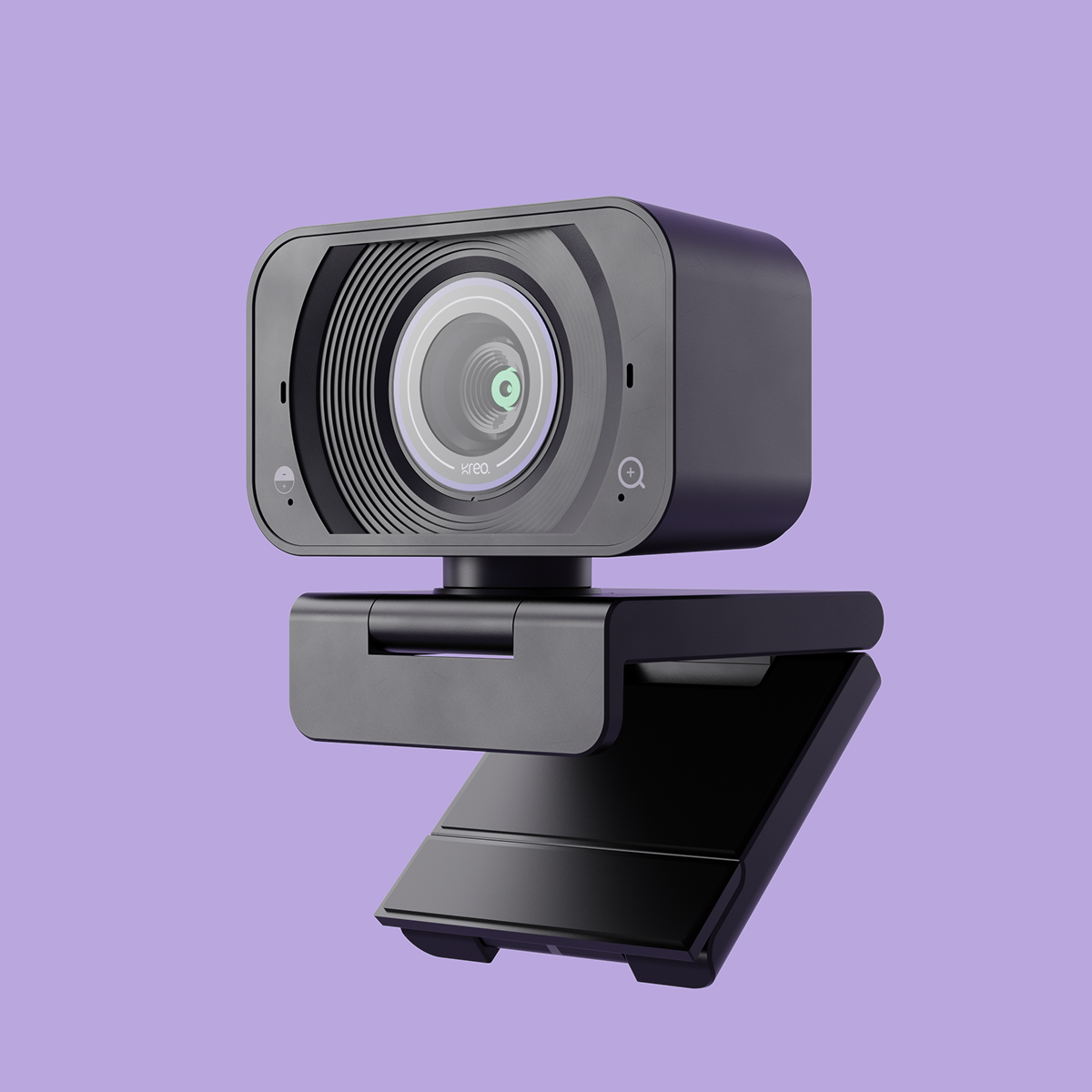
Quick Answer: The Kreo Owl 4K Pro Streaming Webcam is a top pick for Indian professionals, streamers, and creators who want plug-and-play 4K clarity, fast autofocus, and reliable performance. However, the best 4K webcam for you depends on your workflow, budget, and setup—this guide compares leading models, explains key features, and helps you make an informed choice.
Why 4K Webcams Matter in 2026
In 2026, video quality is a major differentiator for remote professionals, streamers, and content creators. A 4K webcam delivers:
- Ultra-sharp detail: Your expressions and gestures are crystal clear—even on large screens.
- Flexible cropping: 4K resolution lets you zoom or reframe without losing clarity—ideal for presentations and streaming overlays.
- Future-ready tech: Platforms like Zoom, Teams, and YouTube are moving to 4K support, making ultra HD webcams a smart investment.
Who Should Use a 4K Webcam?
This guide is for:
- Remote professionals needing a polished, credible presence on video calls.
- Content creators producing YouTube videos, online courses, or social media content.
- Streamers seeking ultra-HD video for Twitch, YouTube, or gaming platforms.
- Anyone upgrading from a basic laptop webcam wanting to look their best in every meeting.
What to Compare First: Key Features That Matter
Not all 4K webcams are created equal. Before you buy, compare:
- Resolution: True 4K (3840x2160) is the gold standard for sharpness.
- Frame rate: 30fps is common at 4K; some models offer 60fps at 1080p for smoother video.
- Autofocus: Crucial for staying sharp as you move.
- Field of view: Wide (80°+) for group calls, narrower for solo focus.
- Low-light performance: Look for large sensors or HDR—especially important for Indian homes with variable lighting.
- Microphone quality: Built-in mics are a plus, but dedicated audio is best for professionals.
- Mounting options: Flexible stands or tripod threads help with tricky desk setups.
Budget-Friendly Path: Do You Really Need 4K?
If your calls are mostly on WhatsApp or Google Meet, or if your internet speed is limited, a 1080p webcam can still look professional. However, if you want to future-proof your setup, create high-quality content, or simply want the best image, a 4K webcam is worth the investment—especially as prices become more accessible in India.
- Budget tip: Some 4K webcams offer excellent 1080p performance at lower prices, letting you upgrade to 4K later.
- Trade-off: 4K video requires more bandwidth and a modern PC or laptop to avoid lag.

Top 4K Webcam Picks for 2026
Based on expert reviews and community feedback in India, here are the leading options:
- Kreo Owl 4K Pro Streaming Webcam: Best for creators and professionals who want reliable, plug-and-play 4K video.
- Other top brands: Some offer wider fields of view or bundled software, but may not match the Owl 4K Pro's low-light performance or build quality.
In-Depth Look: Kreo Owl 4K Pro Streaming Webcam
The Kreo Owl 4K Pro Streaming Webcam stands out for its balance of ultra-HD clarity, fast autofocus, and reliable performance on Indian networks. Key highlights:
- True 4K resolution for crisp visuals on any platform.
- Smart autofocus keeps you sharp, even if you move or gesture.
- Plug-and-play USB-C works with Windows, Mac, and most modern laptops.
- Flexible mounting for laptops, monitors, or tripods.
For a full breakdown, see our Owl 4K Pro review or browse Kreo’s full webcam collection.
How to Set Up and Get the Most from Your 4K Webcam
Most 4K webcams are plug-and-play, but these tips will help you get the best results:
- Connect to a USB 3.0 port for full 4K performance.
- Position at eye level for natural, flattering angles.
- Use soft, even lighting—ring lights or daylight are ideal.
- Test your video in your main app (Zoom, Teams, OBS) and adjust settings for sharpness and exposure.
- Consider a privacy shutter or unplug the webcam when not in use.
Common Trade-Offs: Bandwidth, Compatibility, and Lighting
4K webcams offer premium video, but consider these factors:
- Bandwidth: 4K video can use 15–25 Mbps upload. If your internet is slower, use 1080p mode for smooth calls.
- Compatibility: Most modern PCs and Macs support 4K webcams, but older devices may struggle.
- Lighting: 4K reveals everything—including poor lighting. Invest in a soft light source for best results.
Best Practices: Optimizing Video Quality and Privacy
- Use a neutral or virtual background for a distraction-free look.
- Keep your lens clean—4K shows every smudge.
- Enable privacy shutters when not on calls, or unplug the webcam for added security.
- For creators: Use OBS or Streamlabs to fine-tune color and exposure for your brand.
Kreo’s 4K Webcam Ecosystem: Accessories and Support
Pair your Owl 4K Pro with Kreo’s range of accessories—tripods, ring lights, and privacy covers—for a complete setup. Explore all Kreo products or reach out to Kreo’s support team for personalized setup advice.

Conclusion: Making the Right Choice for Your Desk
Choosing the best 4K webcam in 2026 means balancing your needs, budget, and tech setup. For most remote professionals, streamers, and creators in India, the Kreo Owl 4K Pro Streaming Webcam offers the right mix of image quality, reliability, and support. Always compare features and check compatibility before you buy.

Recommended Kreo pages
Use these Kreo-owned pages to compare products, check availability, and continue your setup research.
FAQs
- Is a 4K webcam worth it for video calls?
- Yes—if you want to look your best on professional calls or content streams. 4K offers sharper detail and better cropping, but you’ll need good lighting and a fast internet connection for full benefit.
- Will a 4K webcam work with my laptop or PC?
- Most modern laptops and desktops support 4K webcams via USB. Check for USB 3.0 ports and update your video call apps for best compatibility.
- How much bandwidth does a 4K webcam require?
- Streaming 4K video can use 15–25 Mbps upload. If your connection is slower, switch to 1080p mode for smooth calls.
- Can I use a 4K webcam for live streaming?
- Absolutely. 4K webcams are ideal for Twitch, YouTube, and gaming streams—just check your streaming software and internet speed.
- What are the best lighting setups for 4K webcams?
- Soft, even lighting (like a ring light or daylight) avoids harsh shadows and brings out the detail 4K offers.
- How does the Kreo Owl 4K Pro differ from other 4K webcams?
- The Owl 4K Pro combines true 4K clarity, fast autofocus, and plug-and-play reliability—making it a top pick for Indian professionals and creators. For a full comparison, see our product page.
- Are there privacy features built into 4K webcams?
- Many 4K webcams, including the Owl 4K Pro, offer built-in privacy shutters or indicator lights so you know when you’re on camera.
Ready to upgrade your video setup? Shop the Kreo Owl 4K Pro Streaming Webcam or browse all Kreo webcams and accessories for your perfect desk companion.
Best Audio Setup for Gaming Desk 2026: Expert Guide to Immersive Sound & Killer Style
Webcam vs Phone Camera for Streaming in 2026: Ultimate Guide, Real Trade-Offs & Pro Creator Tips